Email Automation to Save Time
Date: 2026-06-22 | Time of reading: 7 minutes (1263 words)
Email campaign automation is the configuration of a service where emails are sent to customers automatically according to specified rules and triggers — time, event, or user action — instead of being sent manually each time.
Why Automated Message Campaigns Are Needed
Automated email campaigns give businesses several key benefits.
- Saving time and resources. Automation removes the routine task of manually sending hundreds of emails from employees: the system sends them according to the specified rules. Marketers set up email chains once, after which the campaigns run on their own, while the team can focus on creative and strategic tasks.
- Higher email channel efficiency. Automated, or trigger-based, emails usually deliver much higher open and click rates than regular campaigns. According to Epsilon, such emails provide a 76% higher open rate and a 152% higher CTR compared to regular campaigns. The reason is relevance: the email arrives at the moment when the user actually needs it, for example, right after an action on the website, so it is opened and read more often.
- Revenue growth and customer retention. Automated chains support sales because contact with the customer does not stop. In transactional emails, such as order confirmations or delivery notifications, you can offer something relevant: a related product or a discount on the next purchase. People almost always open these emails. A new user receives emails for a confident start, an inactive user gets a reminder about you, and a regular customer gets a message for an important date. This shows attention and makes the relationship with the brand warmer.
- Scale and channel prospects. Around 4 billion people worldwide use email, and by 2026 this figure is expected to grow to 4.73 billion. More and more companies are implementing automated campaigns: according to forecasts, the marketing automation software market will grow to $13.7 billion by 2030.
Who Needs Automated Campaigns
Campaign automation is in demand in almost every industry where regular communication with customers exists.
Automated campaigns are especially suitable for:
- online stores — order confirmations, delivery notifications, abandoned cart recovery.
When automation is not necessary. For small companies with a database of a few dozen addresses, manual campaigns may be enough. But as the audience grows, the benefits of automation become more noticeable.
In essence, there are almost no limitations. Any business that regularly communicates with a large audience benefits from automation. This is especially important for companies that want to grow: manually serving tens of thousands of customers is simply unrealistic, while automated scenarios can easily handle this scale.
Types of Automated Campaigns
Here are the main types of automated emails and campaigns used in marketing:
- Welcome emails. New subscribers or customers receive them immediately after registration. This is the first impression of the brand, and it sets the tone for further communication. Such an email quickly explains who you are, thanks the user for their interest, gives useful material, or offers a small subscription bonus. According to Campaign Monitor, welcome emails show almost 4 times higher open rates and 5 times more clicks than regular campaigns. This makes sense: the email reaches someone who left their email address themselves and is at peak interest in the company. Such messages establish contact, keep the audience’s attention, and sometimes lead to the first purchase on the very day of subscription.
- Scheduled, regular automated campaigns. These are campaigns that run according to a schedule or calendar and are configured once in advance. For example, an onboarding email series for a new customer can be scheduled for the first seven days: immediately after registration, they receive a welcome message; the next day, an overview of the product’s key features; after three days, usage examples; and after a week, an offer to use a special promotion. You set up this cycle once, and every new subscriber receives the full chain in the right order without your involvement. Scheduled campaigns also include date-based emails: birthday greetings, anniversary messages, or holiday emails. Templates for such emails are set up in the system, and they automatically reach each person on their special day, often with a personal promo code or a small bonus. These holiday emails work well for loyalty: they show attention and encourage users to treat themselves, for example, by using a birthday discount. Another format of scheduled campaigns is reminder series. An online school can set up a chain for a student: one day before the webinar, they receive a reminder with the program; on the day of the event, an email with the broadcast link; and afterward, an email with the recording and an offer for the next course. All of this is sent automatically according to a pre-set calendar and noticeably increases engagement.
- Transactional emails. These are automatic notifications sent when a user does something: places an order, pays for a purchase, receives a delivery, requests a password reset, or checks the status of an application. Their task is to provide important information that the person expects here and now. Such emails are part of normal service. A customer places an order and immediately receives an email with confirmation and details. Fast, reliable, and without employee involvement. Since the user is waiting for this message, they almost always open it.
- Reactivation campaigns bring back users who have stopped showing activity. The system detects who has not opened emails or made purchases for a long time and, after a set period, sends a message with a specific offer: a discount, a selection of new arrivals, a reminder of the service’s features, or a request to rate their experience. Such a campaign can be built in several steps. If there is no response to the first email, a second one with a stronger offer is sent after some time, followed by a third and final one. Automation carries out this sequence without managers’ involvement. This approach brings back part of the audience and keeps the database up to date by excluding contacts that consistently do not respond.
How to Make a Campaign Automated
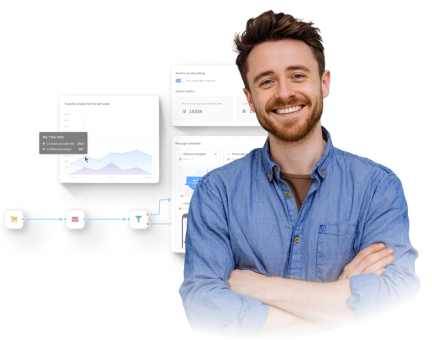
The Altcraft marketing automation platform can be used as a campaign center: email, SMS, web and mobile push notifications, and messenger messages are configured in one interface. The marketer sets segments and conditions — who receives what — and the system sends messages according to a schedule or triggers. Altcraft has visual scenarios: waiting blocks, conditions, message sending in different channels, and branching depending on the recipient’s reaction.
The platform stores customer data in separate profiles and uses it for segmentation and email personalization. You can create groups by activity, purchase volume, region, device, and other information, then launch dedicated automated campaigns for them. Sending runs without manual intervention; you only need to define the rules once.
The built-in template editor and A/B/n tests make it easy to build emails and check which version performs better, while delivery, open, and click reports show the result of each automated chain.
Conclusion
Automated campaigns are a series of messages that the system sends according to pre-set rules without a manager’s involvement. They are used for common scenarios such as welcome chains, reminders, trigger-based emails, and reactivation campaigns. They maintain steady contact with the audience and make marketing communications more precise and timely.